New Feature: Share Mockups Directly with Clients
Send clients a clean, branded link to view your mockups. No login required. Collect feedback, control downloads, and track engagement, all from one page.
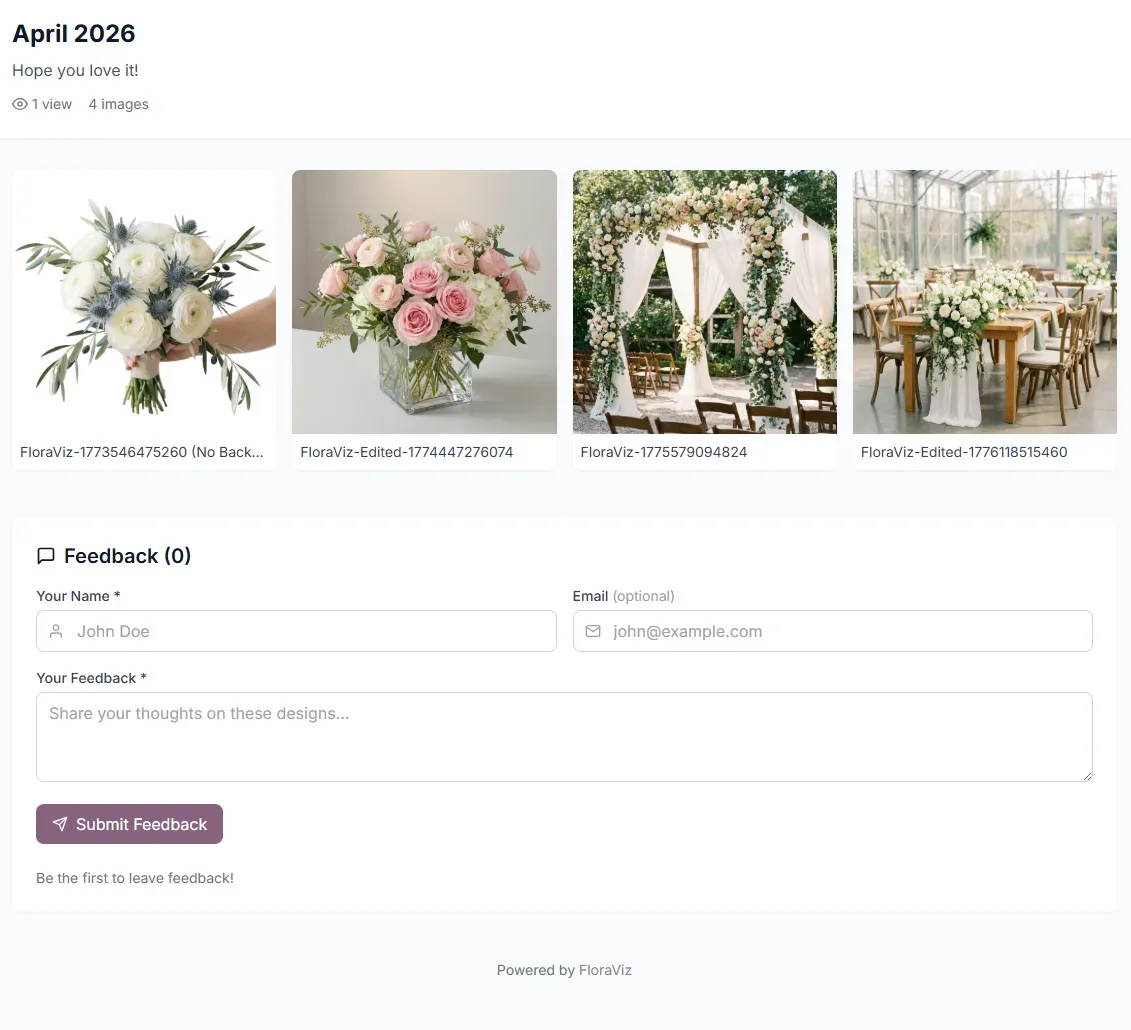
You just finished a set of mockups for a wedding consultation. Now what? Screenshot them, paste into an email, hope the formatting holds up?
That workflow is over.
FloraViz now lets you share mockups with clients through a single link. No email attachments, no login required on their end, no lost-in-the-thread images. Just a clean, branded page with your designs front and center.
Here's what you can do with it and why we built it this way.
How It Works
Select any images from your library, click Create Share Link, and you'll get a URL you can send to your client via text, email, or DM.
When your client opens the link, they see a gallery of your mockups on a simple, professional page. They can click any image to view it full-size. No FloraViz account needed on their end.
You can add a title like "Sarah & Mike, Ceremony Options" and include a personal message. It takes about 30 seconds from selecting your images to copying the link.
You Control the Details
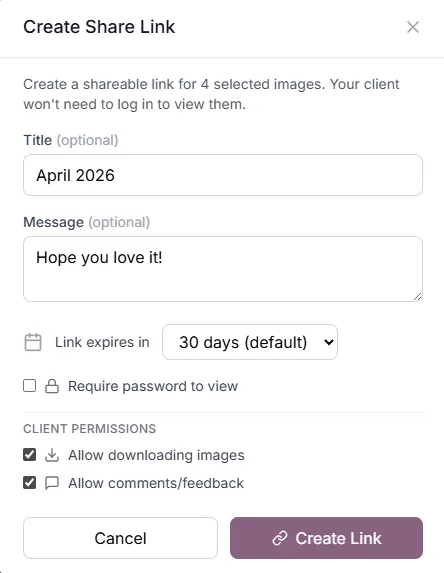
Every share link comes with options so you stay in control of what clients can see and do.
- Password protection. If you want an extra layer of privacy, add a password. Your client enters it before viewing.
- Expiration. Links expire automatically. Choose 7, 14, 30, 60, or 90 days depending on your timeline. No stale links floating around months later.
- Download permissions. Want clients to save the images for their own reference? Toggle downloads on. Prefer they just view? Turn it off.
- Feedback. Clients can leave comments right on the share page. "Love the cascading bouquet!" or "Can we try more blush tones?" shows up in your dashboard instantly.
Built-In Feedback, No More Screenshot Replies
This was one of the most requested features from early users. Instead of clients replying to an email with "I like the second one... I think?" they can leave specific comments directly on the share page.
You'll see all feedback in your Shares dashboard. New comments are flagged so you don't miss anything. Each share also tracks views and downloads, so you know when a client has actually looked at your designs versus when they're still sitting in an unread inbox.
Manage Everything from One Page
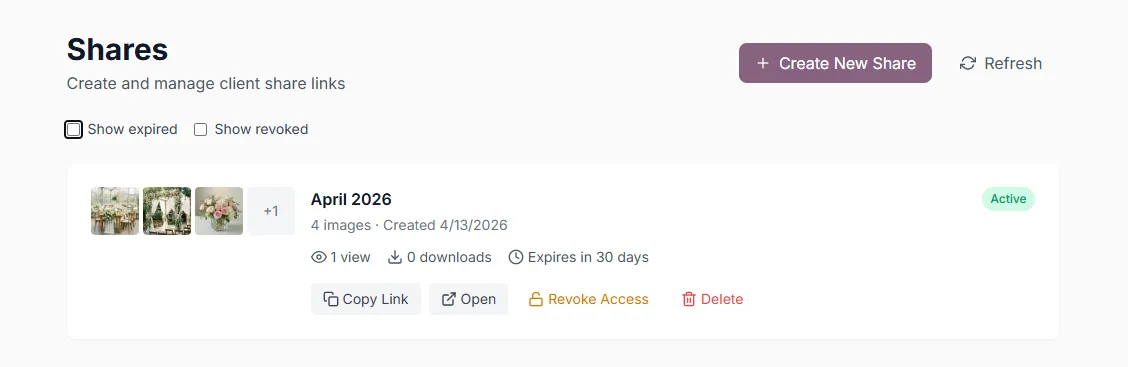
Your Shares page shows every link you've created, with status indicators for active, expiring soon, expired, or revoked.
From there you can:
- Copy the link again to resend
- Open the share to preview what your client sees
- Review client feedback
- Revoke access instantly if plans change
- Delete shares you no longer need
No digging through sent emails to figure out what you shared with which client.
Why We Built This
The number one piece of feedback from florists in our early access program was: "I love the mockups, but I need a better way to get them in front of clients."
Email attachments get buried. Screenshots lose quality. Text messages with four images get messy. We wanted a way for you to present your work professionally, collect feedback in one place, and keep the conversation moving toward a booking.
That's what this does.
Try It Now
If you already have a FloraViz account, head to your image library, select some mockups, and create your first share link. It takes less than a minute.
New here? You get 10 free mockups to start, no credit card required.
Mockups are concept previews to help align on vision. Final arrangements may vary based on seasonal availability and design adjustments.

Dan Sandoval
Founder of FloraViz. After seeing the effort behind his own wedding flowers, he built a tool to save florists hours on mockups and bring total confidence to every proposal.
March 6, 2026